RichFaces 4.0: A Next Generation JSF Framework
RichFaces 4.0
A Next Generation JSF Framework
By Nick Belaevski, Ilya Shailkovsky, Max Katz and Jay Balunas
15,279 Downloads · Refcard 138 of 185 (see them all)
Download
FREE PDF
The Essential RichFaces 4 Cheat Sheet
RichFaces 4.0A Next Generation JSF Framework
INTRODUCTION
RichFaces 4.0 is an advanced JSF 2.0 based framework that provides a complete range of rich Ajax enabled UI components, as well as other features such as a component development kit, dynamic resource support, and skinning. The 4.0 version brings complete JSF 2.0 support to the project.
RichFaces is made up of two component tag libraries. “a4j:” represents core Ajax functionality, and page wide controls. While the “rich:” component set represent self contained and advanced UI components such as calendars, and trees.
JavaServer Faces 2.0
The second version of JSF added many features such as, core Ajax functionality, integrated Facelets support, annotations, view parameters, and more. RichFaces 4.0 has been specifically redesigned to not only work with these new features, but to extend them.

GETTING STARTED
RichFaces can be used in any container that JSF 2.0 is compatible with. This means all servers compliant with the EE6 specification ( JBoss AS6/7, Glassfish 3 ) and all major servlet containers (Tomcat, Jetty).

Installing RichFaces
Since RichFaces is build on top of JSF 2.0 its installation is as easy as adding a few jars to your project.
For Maven-based projects configure your repositories following the Maven Getting Started Guide here: http://community.jboss.org/wiki/MavenGettingStarted-Users
Then simply add the following to you projects pom.xml.
<dependencyManagement>
<dependencies>
<dependency>
<groupId>org.richfaces</groupId>
<artifactId>richfaces-bom</artifactId>
<version>${richfaces.version}</version>
<scope>import</scope>
<type>pom</type>
</dependency>
</dependencies>
</dependencyManagement>
…
<dependency>
<groupId>org.richfaces.ui</groupId>
<artifactId>richfaces-components-ui</artifactId>
</dependency>
<dependency>
<groupId>org.richfaces.core</groupId>
<artifactId>richfaces-core-impl</artifactId>
</dependency>
For other build systems such as Ant just add the following jars to your projects WEB-INF/lib directory: richfaces-core-api-<ver>.jar, richfaces-core-impl-<ver>.jar, richfaces-components-api-<ver>.jar, richfaces-components-ui-<ver>.jar, sac-1.3.jar, cssparser-0.9.5.jar, and google-guava-r08.jar.

Page Setup
To use RichFaces components in your views add:
xmlns:a4j=”http://richfaces.org/a4j”
xmlns:rich=”http://richfaces.org/rich”
Maven Archetypes
The project also contains several Maven archetypes to quickly create projects (including one for Google App Engine targeted project).
Simple project generation:
mvn archetype:generate
-DarchetypeGroupId=org.richfaces.archetypes
-DarchetypeArtifactId=richfaces-archetype-simpleapp
-DarchetypeVersion=<version> -DgroupId=<yourGroupId>
-DartifactId=<yourArtifactId> -Dversion=<yourVersion>
From the generated project directory you can build, and deploy as with any Maven project.

CORE JSF 2 EXTENSIONS
a4j:ajax
Upgrades the standard f:ajax tag/behavior with more features.
<h:inputText value=”#{bean.input}”>
<a4j:ajax execute=”#{bean.process}” render=”#{bean.update}”/>
</h:inputText>
<h:panelGrid id=”list1”>...</h:panelGrid>
Execute & Render EL Resolution
JSF 2.0 determines the values for execute and render attributes when the current view is rendered. In the example above if #{bean.update} changes on the server the older value will be used. RichFaces processes attribute values on the server side so you will always be using the most current value.
Addition Common Enhancements
All RichFaces components that fire Ajax requests share the features above, and all of the ones from below:
| Attribute | Description |
| limitRender | Turns off all auto-rendered panels (see Render Options section). |
| bypassUpdates | When set to true, skips Update Model and Invoke Application phases. Useful for form validation requests. |
| onbegin | JavaScript code to be invoked before Ajax request is sent. |
| onbeforedomupdate | JavaScript code to be invoked after response is received but before Ajax updates happen. |
| oncomplete | JavaScript code to be invoked after Ajax request processing is complete. |
| status | Name of status component to show during Ajax request. |
a4j:commandButton, a4j:commandLink
Similar to standard h:commandButton and h:commandLink tags but with Ajax behavior built-in.
<a4j:commandButton value=”Add”
action=”#{bean.add}” render=”cities”/>
<h:panelGrid id=”cities”>...</h:panelGrid>

a4j:poll
Periodically fires an Ajax request based on polling interval defined via interval attribute and can be enabled/disabled via enabled attribute (true|false). For example, in the following code snippet, an Ajax request will be sent every 2 seconds and render the time component:
<a4j:poll interval=”2000” enabled=”#{bean.active}”
action=”#{bean.count}” render=”time”/>
<h:outputText id=”time” value=”#{bean.time}”/>
a4j:jsFunction
Allows the sending of an Ajax request from any JavaScript function.
<a4j:jsFunction name=”setdrink” render=”drink”>
<a4j:param name=”param1” assignTo=”#{bean.drink}”/>
</a4j:jsFunction>
...
<td onmouseover=”setdrink(‘Espresso’)”
onmouseout=”setdrink(‘’)”>Espresso</td>
<h:outputText id=”drink” value=”I like #{bean.drink}” />
When the mouse hovers or leaves a drink, the setdrink() JavaScript function is called. The function is defined by an a4j:jsFunction tag which sets up standard Ajax call. You can also invoke an action. The drink parameter is passed to the server via a4j:param tag.
a4j:status
Displays Ajax request status. The component can display content based on Ajax start, stop, and error conditions. Status can be defined in the following three ways: status per view, status per form and named statuses. The following example shows named status:
<a4j:status name=”ajaxStatus”>
<f:facet name=”start”>
<h:graphicImage value=”/ajax.gif” />
</f:facet>
</a4j:status>
<a4j:commandButton value=”Save” status=”ajaxStatus”/>
All RichFaces controls which fire an Ajax request have status attribute available.
a4j:repeat
Works just like ui:repeat but also supports partial table update (see Data Iteration):
<ul>
<a4j:repeat value=”#{bean.list}” var=”city”>
<li>#{city.name}</li>
</a4j:repeat>
</ul>
a4j:push
“Push” server-side events to client using Comet or WebSockets. This is implemented using Atmosphere (http://atmosphere.java.net), and uses JMS for message processing (such as JBoss’s HornetQ - http://www.jboss.org/hornetq). This provides excellent integration with EE containers, and advanced messaging services.
The <a4j:push> tag allows you to define named topics for messages delivery and actions to perform:
<a4j:push address=”topic@chat”
ondataavailable=”alert(event.rf.data)” />
Server side messages are published and topics are created/configured using a class similar to this:
@PostConstruct
public void init() {
topicsContext = TopicsContext.lookup();
}
private void say(String message) throws
MessageException {
TopicKey key = new TopicKey(“chat”,”topic”);
topicsContext.publish(key, message);
}
private void onStart() {
topicsContext.getOrCreateTopic(new
TopicKey(“chat”));
}
For more details on usage and setup, including examples please see the RichFaces Component Guide (http://docs.jboss.org/richfaces/latest_4_0_X/Component_Reference/en-US/html/).
a4j:param
Works like <f:param> also allows client side parameters and will assign a value automatically to a bean property set in assignTo :
<a4j:commandButton value=”Select”>
<a4j:param value=”#{rowIndex}”
assignTo=”#{bean.row}”/>
</a4j:commandButton>
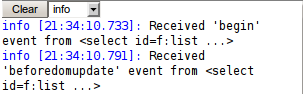
a4j:log
Client-side Ajax log and debugging.
<a4j:log/>
a4j:region
Provides declarative definition of components to be executed during Ajax request instead of using component ids. The following example wouldn’t work without a4j:region as no execute ids are defined on the a4j:poll which defaults to execute=”@this”:
<a4j:region>
<a4j:poll interval=”10000”/>
<h:inputText value=”#{bean.name}”/>
<h:inputText value=”#{bean.email}”/>
</a4j:region>
If components are wrapped inside a4j:region without execute id defined, then the default value is execute=”@region”. You can also explicitly set execute=”@region”.

RENDER OPTIONS
In addition to supporting the standard render attribute in all controls which fire an Ajax request, RichFaces provides a number of advanced rendering options.
a4j:outputPanel
<a4j:outputPanel ajaxRendered=”true”> is an auto-rendered panel. All child components within a4j:outputPanel will be rendered on any Ajax request. There is no need to point to the panel via the render attribute.
<a4j:outputPanel ajaxRendered=”true”>
<h:outputText />
<h:dataTable>...</h:dataTable>
<a4j:outputPanel>
In example above, all components within a4j:outputPanel will be always rendered. Note that ajaxRendered must be set to true.
Limiting Rendering
To limit rendering to only components set in current render list, set limitRender=”true”. In the following example, only components c1 and c2 will be rendered (a4j:outputPanel update is turned off):
<a4j:commandLink render=”c1, c2” limitRender=”true”/>
<h:outputText id=”c1”/>
<h:panelGrid id=”c2”></h:panelGrid>
<a4j:outputPanel ajaxRendered=”true”>
<h:dataTable>...</h:dataTable>
</a4j:outputPanel>
limitRender=true turns off all auto-rendered containers (a4j:outputPanel, rich:message(s)).
QUEUE
JSF 2 provides a basic client request queue out-of the box. RichFaces extends the standard JSF queue, and provides additional features to improve usability.
The RichFaces queue is defined via the a4j:queue tag. Queues can be named or unnamed as described below.
Named Queue
Named queues are given a name and will only be used by components which reference them directly:
<a4j:queue name=”ajaxQueue”>
<h:form>
<a4j:commandButton>
<a4j:attachQueue name=”ajaxQueue”/>
</a4j:commandButton>
</h:form>
Unnamed Queue
Unnamed queues are used to avoid having to reference named queues for every component and come with the following scopes: global, view, form.
Global level
Global queue is available on all the views and defined in web.xml file:
<context-param>
<param-name>
org.richfaces.queue.enabled</param-name>
<param-value>true</param-value>
</context-param>
View level
Placed outside any form. All Ajax control on the view will use this queue:
<a4j:queue/>
<h:form>...</h:form>
Form-level
Queue definition is placed inside a form. All controls inside the form will use this queue:
<h:form>
<a4j:queue/>
</h:form>
Queue Attributes
| Attribute | Description |
| requestDelay | Will delay sending the request by that number of millisecond. <a4j:queue requestDelay=”3000”/> Used to “wait” to combine requests from the same request group |
| requestGroupingId | Combines two or more controls into the same request group. Requests from this group are treated as if coming from the same “logical” component. <a4j:attachQueue requestGroupingId=”grp1”/> |
| ignoreDupResponses | Response processing for requests will not occur if a similar request is already waiting in the queue, saving the client side processing. |
There are two ways to set queue options. Directly on a4j:queue tag:
<a4j:queue name=”ajaxQueue” requestDelay=”3000”/>
Or attaching a4j:attachQueue behavior to Ajax components:
<a4j:queue/>
<a4j:commandButton>
<a4j:attachQueue requestDelay=”3000”
requestGroupingId=”ajaxGroup”>
</a4j:commandButton>
CLIENT-SIDE VALIDATION
Bean Validation
Bean Validation (JSR-303) provides a tier agnostic approach to define constraints on model objects. Every tier must then validate those constraints. There are a set of built in constraints, defined by the Bean Validation specification. JSF 2.0 has built in Bean Validation support, but only with server side validation.
rich:validator
RichFaces 4.0 provides true client side validation that seamlessly integrates into JSF 2.0 Bean Validation support. There is an Ajax server side fallback mechanism if client side validation is not possible.
There are two ways to set queue options. Directly on a4j:queue tag:
<a4j:queue name=”ajaxQueue” requestDelay=”3000”/>
Or attaching a4j:attachQueue behavior to Ajax components:
<a4j:queue/>
<a4j:commandButton>
<a4j:attachQueue requestDelay=”3000”
requestGroupingId=”ajaxGroup”>
</a4j:commandButton>
CLIENT-SIDE VALIDATION
Bean Validation
Bean Validation (JSR-303) provides a tier agnostic approach to define constraints on model objects. Every tier must then validate those constraints. There are a set of built in constraints, defined by the Bean Validation specification. JSF 2.0 has built in Bean Validation support, but only with server side validation.
rich:validator
RichFaces 4.0 provides true client side validation that seamlessly integrates into JSF 2.0 Bean Validation support. There is an Ajax server side fallback mechanism if client side validation is not possible.
| Object constrained using Bean Validation |
|
| Client side validation on a specific field |
|

The client side versions of constraints, converters, and messages must be implemented for this to work. All standard bean validation constraints are supported.

Object Validation
Validate complete objects allowing for complex validation such as cross-field validation before the model gets updated (i.e. in the validation phase). Supports bean validation, but does not support client side validations at this time.
| New password validation |
|
| PasswordBean Implementation |
|
The password bean is cloned, updated, and validated all in the validation phase, allowing only clean data to move to the update model phase.
RICH:* TAGS
Inputs and Selects:

| Component | Description |
| inplaceInput,inplaceSelect | Inplace editing components. |
| inputNumberSpinner, inputNumberSlider | UI controls for numerical input. |
| autocomplete | Input component with live suggestions. |
| select | Advanced select control. Provides skinning and direct typing feature. |
| calendar | Advanced Date and Time input with various customization options. |
| fileUpload | Asynchronous multiple files upload control. |
Output

| Component | Description |
| panel, popupPanel,collapsiblePanel | Simple panels with header. Expansion, collapse, modal and non modal popups. |
| tabPanel, accordion,togglePanel | Complex switchable panels. |
| tooltip, progressBar, message,messages | Various status/message/ indication components. |
Data Iteration

| Component | Description |
| dataTable | Customizable table with collapsible master-detail layouts, with sorting, filtering, partial Ajax updates. |
| extendedDataTable | Additional features of: ajax scrolling, frozen columns, rows selection, columns re-adjustment and switching visibility. |
| list | Allows dynamic rendering of any kind of HTML lists. |
| dataGrid | panelGrid analog with dynamic models support |
| dataScroller | paging support for any iteration component |
Child components: column, columnGroup, collapsibleSubTable.
Trees

| Component | Description |
| tree | Rendering of hierarchical data in a tree control. Built in selection and nodes lazy loading. |
| treeNode | Defines representation for a node of a concrete type. |
| treeModelAdaptor,treeModelRecursiveAdaptor | Declarative definition of tree data model from various data structures. |
Menus

| Component | Description |
| panelMenu | Vertical page menu. |
| dropDownMenu | Drop-down menu for popup menus creation. |
| toolbar | Laying out drop-down menus or just menu items. |
Child component for content definition: panelMenuItem, panelMenuGroup,menuItem, menuGroup, menuSeparator, toolbarGroup.
Drag and Drop
| Component | Description |
| dragSource | Add dragging capabilities to the parent component. |
| dropTarget | Marks parent component as target for Ajax drop processing. |
| dragIndicator | Visualization for dragged element. |
Misc
| Component | Description |
| jQuery | Declarative jQuery calls definitions. |
| componentControl | Calling any RichFaces component client-side API. |
CLIENT FUNCTIONS
RichFaces provides a number of client-side functions which make it easy to access elements in the browser.
| Function | Description/Example |
| rich:clientId(‘id’) | Returns client id.#{rich:client(‘id’)} returns form:id |
| rich:element(‘id’) | Shortcut fordocument.getElementById(#{rich:clientId(‘id’)}) |
| rich:component(‘id’) | Used to invoke client-side component JavaScript API. |
| rich:findComponent(‘id’) |
|
| rich:isUserInRole(‘role’) | Returns true or false whether current user is in specified role. |
RICH COMPONENTS JS API
Using rich:component(‘id’)
Many rich components come with client-side JavaScript API. To use the API, get a reference to the client JavaScript object and invoke the available methods. Full description of each component API can be found in RichFaces Component Guide1. In the following example, show() and hide() method are used to show/hide panel:
<h:outputLink onclick=”#{rich:component(‘pnl’)}.show();”>
Open
</h:outputLink>
<rich:popupPanel id=”pnl”>
<h:outputLink onclick=”#{rich:component(‘pnl’)}.hide();”>
Hide
</h:outputLink>
</rich:popupPanel>
Using rich:componentControl
An alternative and more declarative approach to call JavaScript API is to use rich:componentControl:
<h:outputLink value=”#”>
<h:outputText value=”Open” />
<rich:componentControl operation=”show”
target=”pnl” event=”click”/>
</h:outputLink>
<rich:popupPanel id=”pnl”>
<h:outputLink value=”#”>
<h:outputText value=”Close” />
<rich:componentControl event=”click”
target=”pnl” operation=”hide”/>
</h:outputLink>
</rich:popupPanel>
SKINNING

Basic Architecture
The same three-level hierarchy that is used for RF 3.3.X is used here:
Skin parameters: configure an application-wide look and feel using dozens of parameters.
rf-* classes: added to all the components to provide a default look and feel based on parameters. To be used for redefinitions.
*Class: attributes on components.
New ECSS File Formats
Components use new *.ecss format of stylesheets:
.rf-pnl {
color:’#{richSkin.panelBorderColor}’;
}
- Same CSS under the hood
- Dynamic properties using EL expressions
Out-of-the-box Skins
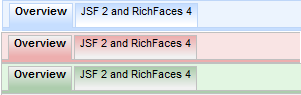
Richfaces provides various skins out of the box:
blueSky, classic, deepMarine, emeraldTown, japanCherry, plain, ruby, wine.
Application Skin Parameter Definition
To have the ability to change skin at runtime use a context parameter in the web.xml:
<context-param>
<param-name>org.richfaces.skin</param-name>
<param-value>#{skinBean.skin}</param-value>
</context-param>
The param-value from listing below could be just static string name. (e.g. bluesky).
Skinning Standard Components and Elements
With org.richfaces.enableControlSkinning context parameter set to true all the standard and third-party components will become skinned.
Usage of Skin Parameters on the Page
You could use implicit richSkin object in order to access skin parameters on the pages:
<h:button style=”background-color:’#{richSkin.tableBackgroundColor}’” .../>
The Same as CSS
It is the same as for usuall CSS:
<h:outputStylesheet name=”panel.ecss”/>or
@ResourceDependency(name = “panel.ecss”)
Skinning using Static Resources
Finally you are able to serve our dynamic skins in a static way (E.g. using CDN):
- Add org.richfaces.cdk:maven-resources-plugin to build.
- Configure it. You should define directory which should be used to store generated recourses, skin names which should be processed, resources types to be included and so on… Refer to RichFaces GAE archetype or richfaces-showcase pom.xml files for getting complete code.
- Define static resources location via org.richfaces. staticResourceLocation context parameter using implicit resourceLocation variable in web.xml
COMPONENT DEVELOPMENT KIT
RichFaces CDK has been developed to boost productivity by providing easy-to-use environment for simplifying common components development tasks. Main features are:
- Very easy creation and maintenance of classes such as component,converter, validator, etc.
- Generation of renderer classes from files with VDL-like syntax.
- Easy-to-use annotation—or XML-based configuration following Convention-over-Configuration principles.
- Generation of XML configuration files.
GOOGLE APPLICATION ENGINE SUPPORT
Google Application Engine deployments require specific changes to be done at the application level mostly because of GAE’s restrictions and issues related to JSF deployment.
Archetype Usage
RichFaces provides a special archetype to generate an application skeleton for GAE deployments:
mvn archetype:generate -DarchetypeGroupId=org.richfaces.archetypes
-DarchetypeArtifactId=richfaces-archetype-gae -DarchetypeVersion=<archetyp
eVersion>
-DgroupId=<yourGroupId> -DartifactId=<yourArtifactId> -Dversion=1.0-
SNAPSHOT
Now you can run mvn install as usually to build application and use mvn gae:deploy for deployment.
Deployment Requirements
Exploring the application generated by the archetype is the easiest way to check settings which are required to be done for deployment. It includes:
- static resources for skins has to be used as GAE not allows Java2D usage (see skinning section for details)
- GAE-specific web.xml settings added